


 About SPORTIVO Network
How do I choose the best free invoicing tool?
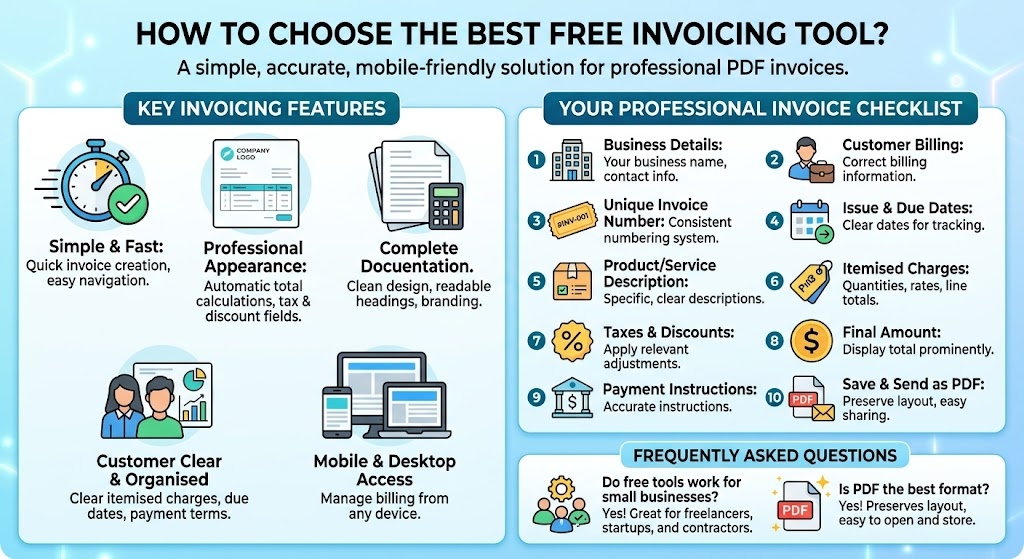
Look for a tool that is simple, accurate, mobile-friendly, and capable of creating professional PDF invoices without unnecessary setup. The best free invoice generator should let you add customer details, itemised charges, taxes, payment terms, and branding while keeping the entire billing process quick and easy.
A good invoicing tool should help you create a complete document without requiring advanced accounting knowledge. It should clearly organise the information so customers can immediately understand what they owe, why they are being charged, and when payment is due.
Essential features to look for include:
- Easy invoice creation
- Automatic total calculations
- Custom business information
- Customer billing details
- Itemised products or services
- Tax and discount fields
- Unique invoice numbers
- Clear payment due dates
- PDF download support
- Mobile and desktop access
The interface should also be easy to navigate. If creating a basic invoice requires too many steps, the tool may slow down your workflow instead of improving it.
Professional appearance matters as well. A clean invoice with consistent spacing, readable headings, and clear totals can make your business look more organised and trustworthy.
What should every professional invoice include?
Every invoice should clearly identify the seller, customer, services provided, payment amount, and deadline. Missing information can create confusion, delay approval, and force you to issue a corrected version.
Use this quick checklist:
- Add your business name and contact details.
- Enter the customer’s correct billing information.
- Assign a unique invoice number.
- Include the issue date and due date.
- Describe each product or service clearly.
- Add quantities, rates, and line totals.
- Apply relevant taxes or discounts.
- Display the final amount prominently.
- Include accurate payment instructions.
- Save and send the invoice as a PDF.
Use specific descriptions instead of general wording. “Website maintenance for August” is clearer than “technical work.” Detailed descriptions help customers verify charges without requesting additional information.
A consistent numbering system also improves organisation. Formats such as INV-001, INV-002, and INV-003 make it easier to locate invoices and track whether they are pending, paid, overdue, or cancelled.
Before sending the document, double-check calculations, account details, dates, and customer information. Small mistakes can delay payment and make your billing process appear less professional.
Frequently Asked Questions
Do free invoice tools work for small businesses?
Yes. They can be useful for freelancers, contractors, startups, and small businesses that need a straightforward way to prepare professional invoices.
Is PDF the best format for sending invoices?
Yes. PDF preserves the original layout and is easy for customers to open, download, print, and store.

 Czech
Czech
 Arabic
 French
 Spanish
 Portuguese
 Deutsch
 Turkish
 Dutch
Dutch
 Italiano
 Russian
 Romaian
 Portuguese (Brazil)
 Greek
Greek