


 About SPORTIVO Network
How Obfs4 Tor Bridges Mask Network Traffic
Have you ever wondered why some governments can block the Tor network while others fail to stop it? This struggle exists because standard internet traffic carries digital fingerprints that firewalls recognize instantly. Obfs4 is a specific technology that changes these fingerprints into something that looks like random noise.
Quick Answer
Obfs4 Tor bridges mask network traffic - using "pluggable transports" to transform data into an unidentifiable format - this prevents censorship systems from recognizing the Tor protocol through deep packet inspection.
What is an Obfs4 Tor Bridge?
An Obfs4 bridge is a secret entry point to the Tor network - Compared to public relay nodes, these bridges are not listed in any public directory - this makes it difficult for a firewall to block them by IP address alone. The "Obfs" stands for obfuscation, which means to make something unclear or difficult to understand.
People use the bridges when they live in regions where the Tor project website or its direct connections are restricted. Obfs4 is the most current version of this technology. It succeeds older versions like Obfs2 & Obfs3 - adding a layer of authentication - this ensures that only the intended user can talk to the bridge, preventing censors from "scanning" the bridge to see what it is.
Why Standard Traffic is Blocked
Standard internet traffic follows predictable patterns - When you connect to a normal website, your computer sends out specific handshake signals. Many firewalls use a method called Deep Packet Inspection (DPI) to look inside these signals.
- Wrong habits
Using standard Tor without bridges in restricted countries makes your connection stand out. - Outdated tools
Older transports like Obfs2 are easy for modern firewalls to identify and kill. - Misunderstanding system
Users often think a VPN alone is enough but some filters specifically target the "shape" of encrypted packets. - External limitations
High level national firewalls monitor the timing and size of data packets to guess their source.
How Obfs4 Masks Your Data
Obfs4 works - wrapping your Tor traffic in a layer of encryption that lacks any recognizable pattern. It uses a Scramblesuit style handshake. During this process, the client and the bridge share a secret "node ID" If a censor tries to connect to the bridge without this ID, the bridge remains silent or gives a fake response.
The data flowing through an Obfs4 bridge is "flow-signature" resistant, which means the bridge varies the size of the packets and the timing between them. To an observer, the traffic looks like a stream of random, meaningless bytes. It does not look like Tor and it does not look like a VPN. It simply looks like nothing specific - this is why it is effective against advanced filters.
How to Setup Obfs4 Foundations
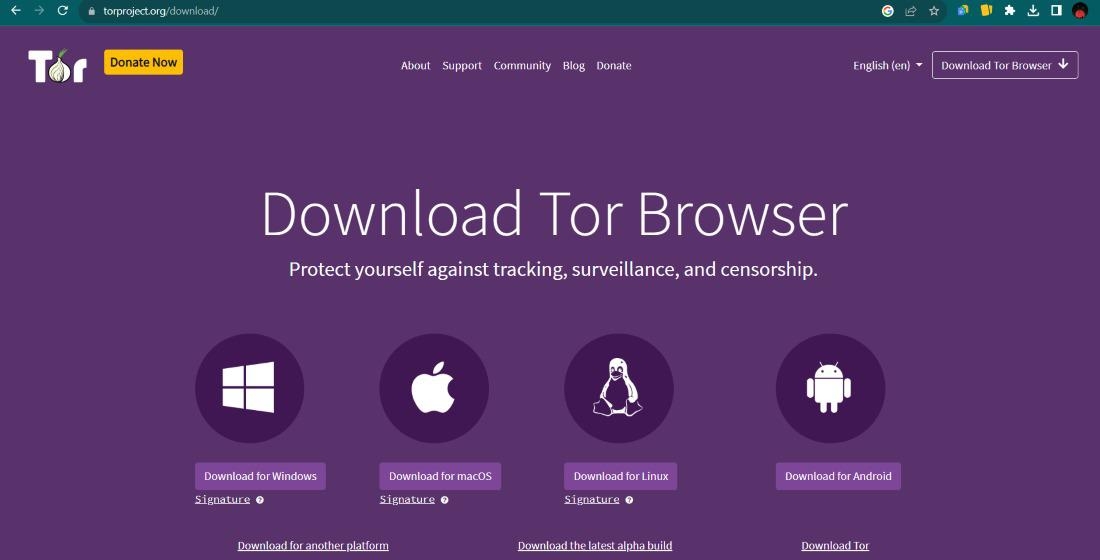
To begin, you need the Tor Browser - You can find resources on how to access these tools at OnionLink . If you are already in a blocked area, you may need to request bridge addresses via email or a mirrored site.
Inside the Tor Browser settings, navigate to the "Connection" tab. Look for the "Bridges" section and select "Choose a built in bridge" From the dropdown menu, select "obfs4" The browser will then attempt to connect to a pre configured list of nodes. If the are blocked, you must manually enter bridge lines provided by the Tor Project.
Once the connection is established, your traffic is masked - You can then safely visit sites like Piranha Market or other onion services. Always ensure your browser is up to date, as the Obfs4 protocol receives periodic updates to stay ahead of censorship tools.
Common Problems & Fixes
Problem - The bridge connection is extremely slow.
Fix
This is often because of the extra encryption layers. Try switching to a different bridge address or a different pluggable transport like Snowflake if Obfs4 is too sluggish.
Problem - The bridge works one day and fails the next.
Fix
Censors occasionally find and block specific bridge IP addresses. You must go back to the working Tor bridges 2026 list and update your bridge lines.
Problem - Tor Browser won't open the settings.
Fix
Reinstall the browser in a new folder - Sometimes local security software interferes with the bridge configuration files.
Safety & Best Practices
Always remember that Obfs4 hides that you are using Tor but it does not change how Tor works. Your traffic is still routed through three layers of nodes. You should still use HTTPS websites whenever possible. Masking your traffic is a great way to gain access but your behavior on the web still determines your privacy.
- Keep your bridge addresses private - do not share them on social media.
- Use the "Safest" security level in Tor Browser for maximum protection.
- Regularly check for updated bridge lists to ensure your connection remains active.
Obfs4 is a powerful tool for digital freedom - It allows people in restricted environments to speak and learn without fear of immediate detection. By understanding how these bridges work, you can better protect your digital footprint.
FAQ
Is Obfs4 faster than a normal Tor connection?
No, it is usually slower because it adds more encryption and random data to your traffic to hide its identity.
Can my ISP see my bridge address?
Your ISP can see you are connecting to an IP address but they cannot tell it is a Tor bridge because Obfs4 masks the protocol signatures.
Do I need a VPN to use Obfs4?
You do not need a VPN but some people use one for an extra layer. Obfs4 is designed to work independently in blocked regions.
How do I get new Obfs4 bridges?
You can get them inside the Tor Browser settings or - sending an email to bridges@torproject.org from a Gmail or Riseup account.

 Czech
Czech
 English
 Arabic
 French
 Portuguese
 Deutsch
 Turkish
 Dutch
Dutch
 Italiano
 Russian
 Romaian
 Portuguese (Brazil)
 Greek
Greek